Tennis Round on the iPad 2

March 14, 2011

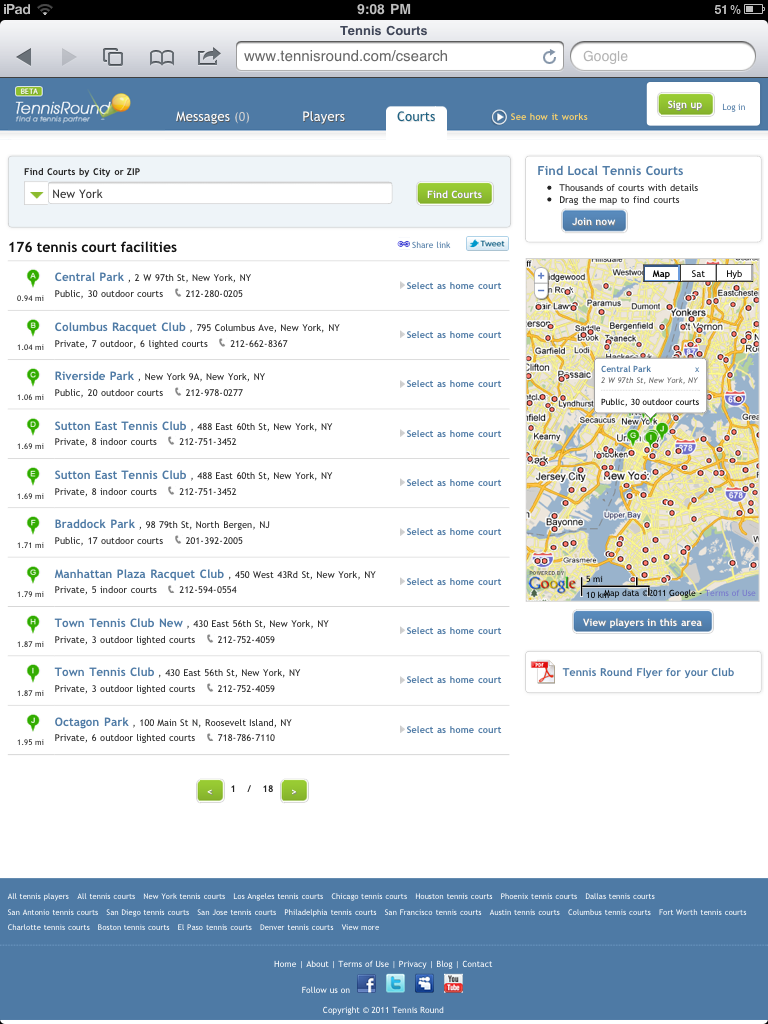
I just tried Tennis Round on the new iPad 2. It’s super fast and responsive (both the site and the device). The list of courts refreshes almost instantaneously when you drag the map. Tooltips pop up at the touch of a finger tip (imagine that!).  Works much like an app, though it’s a website.

Tennis Courts in NYC on the iPad 2 - Tennis Round

Tennis Courts in NYC

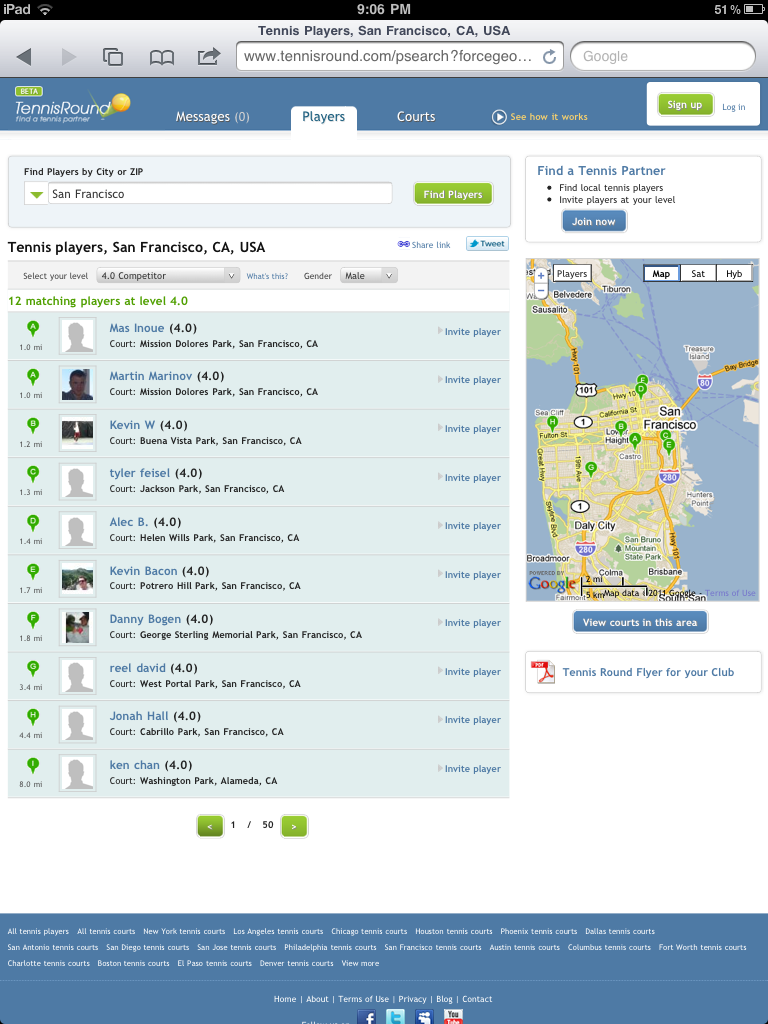
Looking for tennis players and sorting by skill level works fine, too. Though it comes with a funny behavior (it’s not an app after all) from clicking on the Invite Player link – you have to click twice before you can compose a tennis invite.

Tennis Round on iPad 2 - Tennis Players

Tennis Players in San Francisco on iPad 2

If you’re just finding out about Tennis Round – register for free to find tennis players in your city.


Tennis Tooltips

March 13, 2011

They say little things can make a big difference. One little thing that was missing from the tennis courts map was the tooltip, with details about each tennis court facility. People would often ask “What are these red dots on the map? The green bubbles must be the tennis courts in the list, but what are these red dots?”

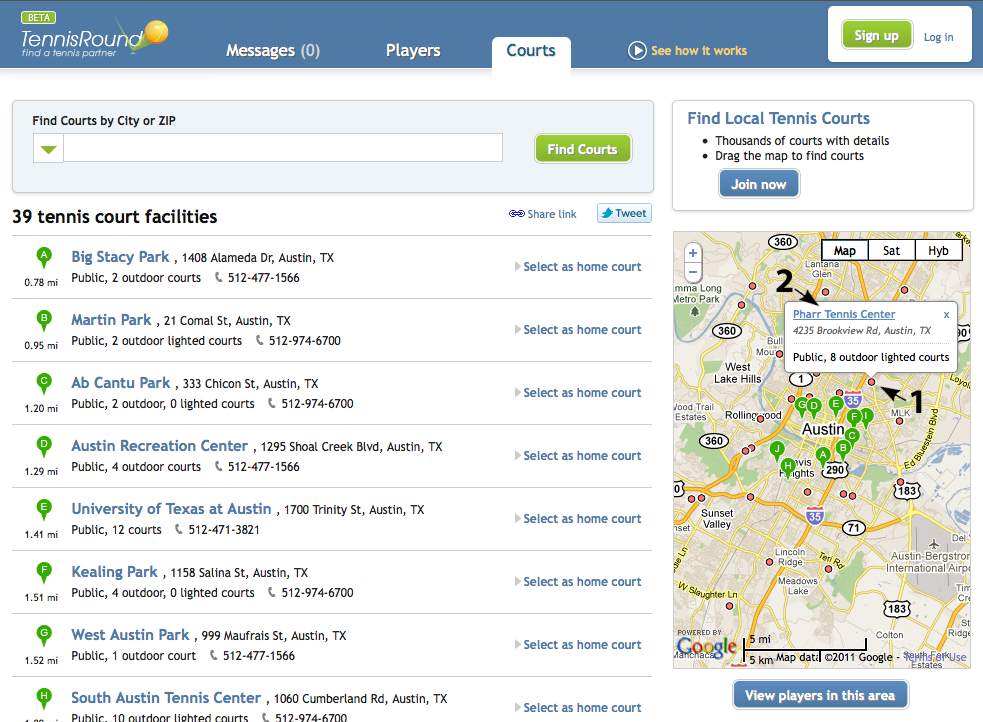
Well, guess what – the red dots are tennis courts, too. And now you can click on them to see a tooltip with the court’s info – private or public (paid or free), lights for night play or not lighted, if it’s indoor or outdoor, number of courts, name and address.

If you need more info, like phone number or would like to email the link to this court to someone, the court’s name hyperlink will take you to it’s profile page. Where available, you can also see the court’s “street view” and get an idea of the location’s parking and driving situation. “Street view” is one of my favorite features, especially if I’m going somewhere for the first time.

1) Click on red dot on map

2) Click on court name link to go to it’s profile page
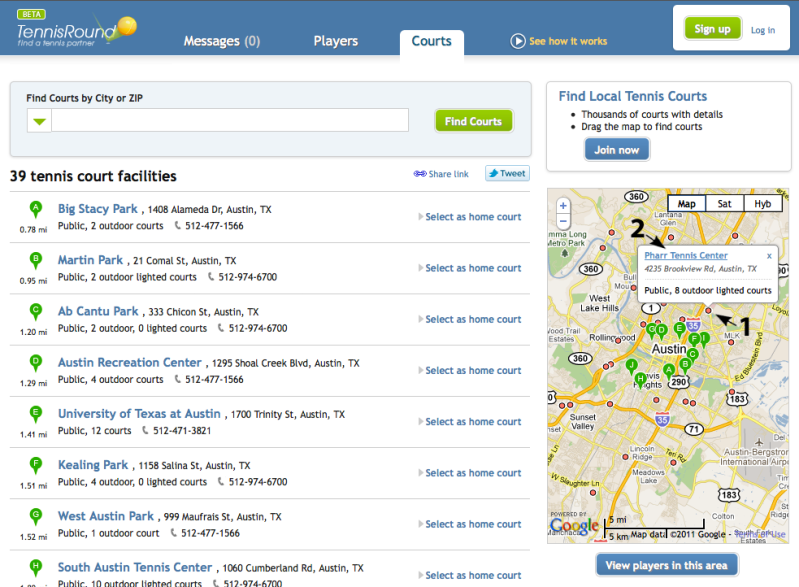
tooltip for red dot on tennis map

red dots and tooltips

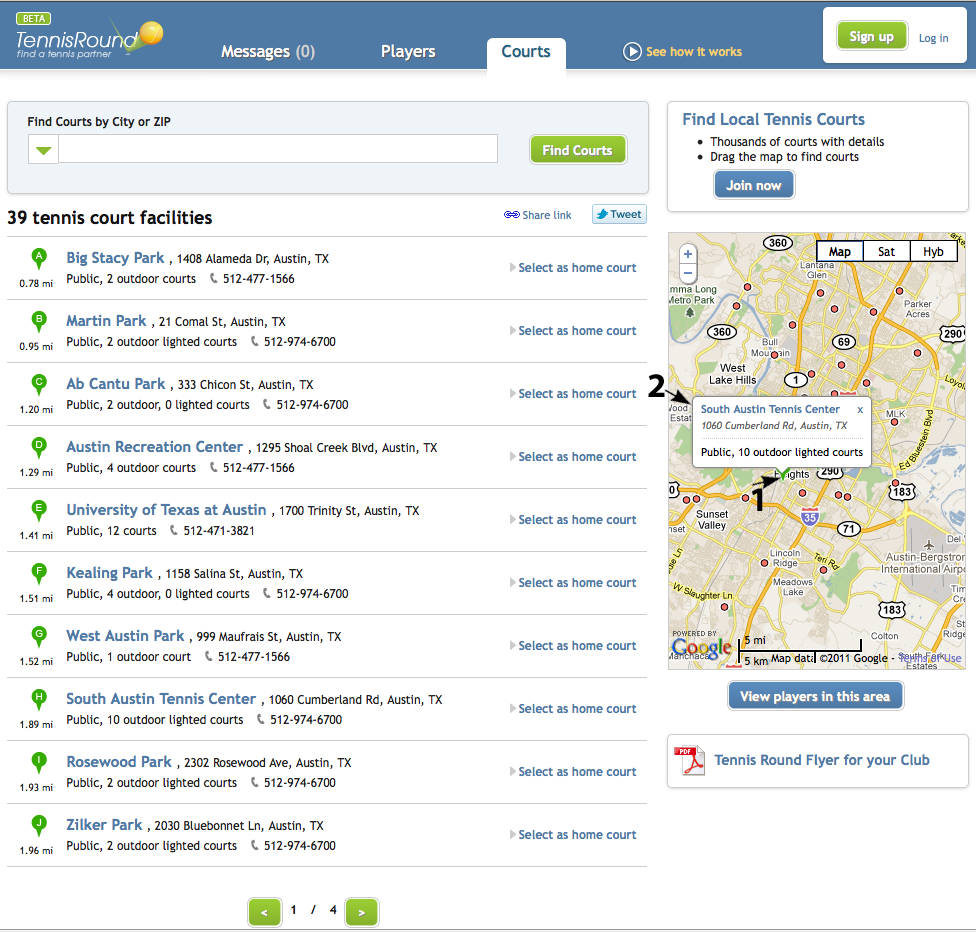
Of course, clicking on the green bubbles does the same thing, it shows a tooltip.

1) Click on the green bubble on map

2) Click on court name link, if you need more info
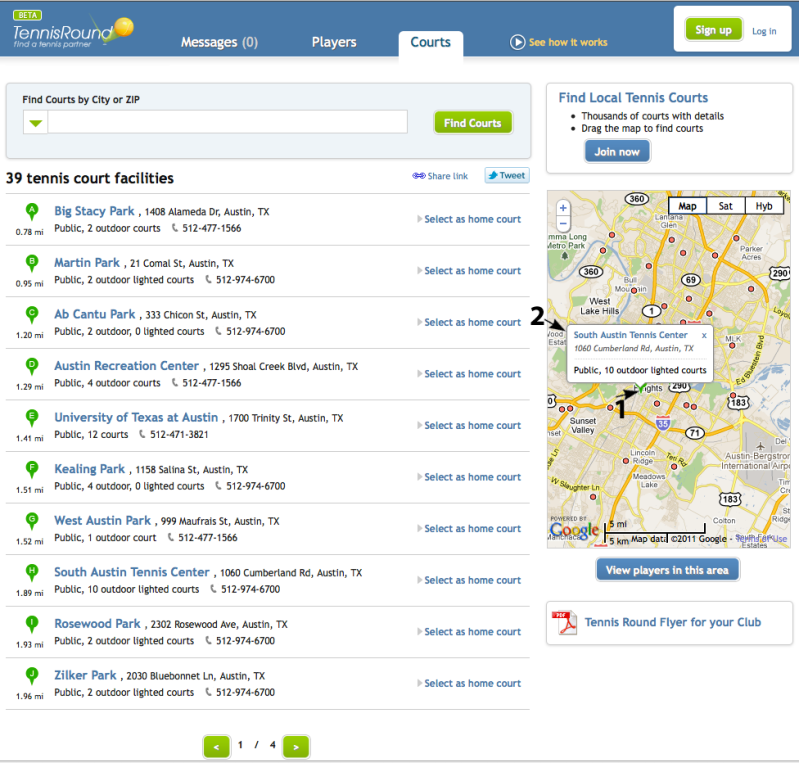
tooltips on tennis map

tooltips on tennis map

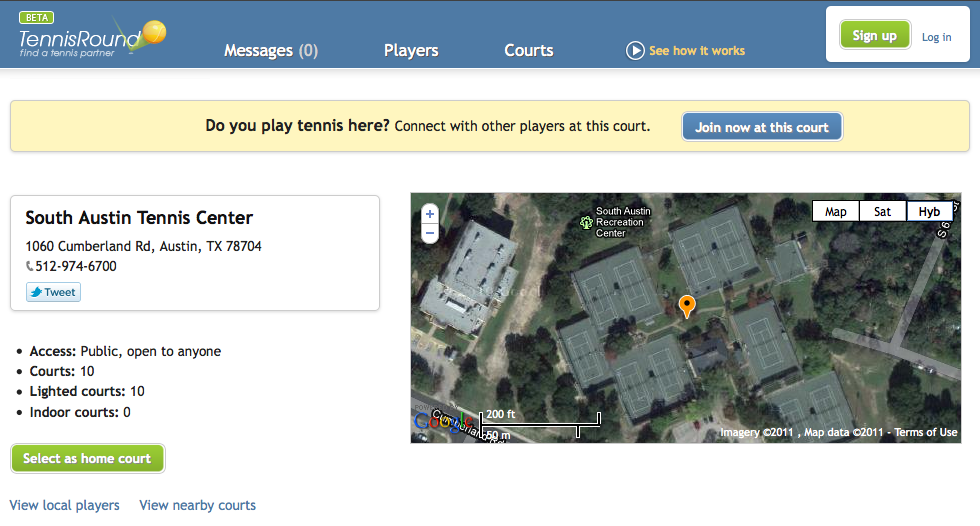
We use the green bubbles to reference the courts in the list on the left. And because there’s only room for 10 listings, we select only the ones in the center of the map. If you’d drag the map, the courts in the center would change, and the list on the left would refresh. Just drag the map to search for courts. And if you clicked on the court name link in the tooltip (2), you’d land on the court’s profile page, in this case it’s the South Austin Tennis Center.
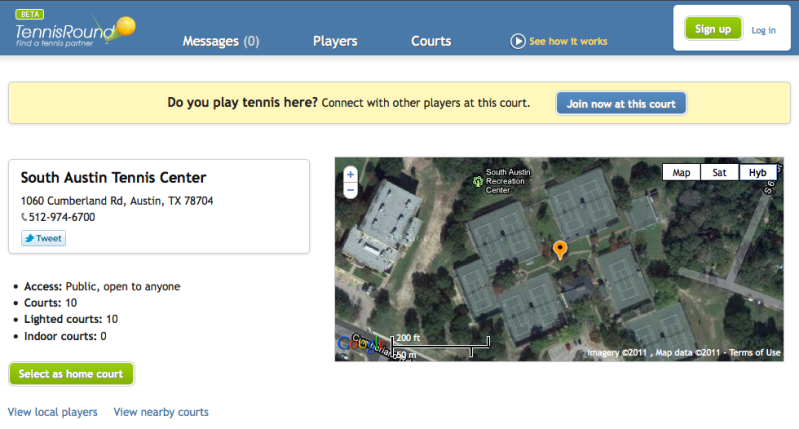
South Austin Tennis Center Profile Page

South Austin Tennis Center Profile Page

Tennis Court with a View – Alice Marble Park, SF

March 12, 2011

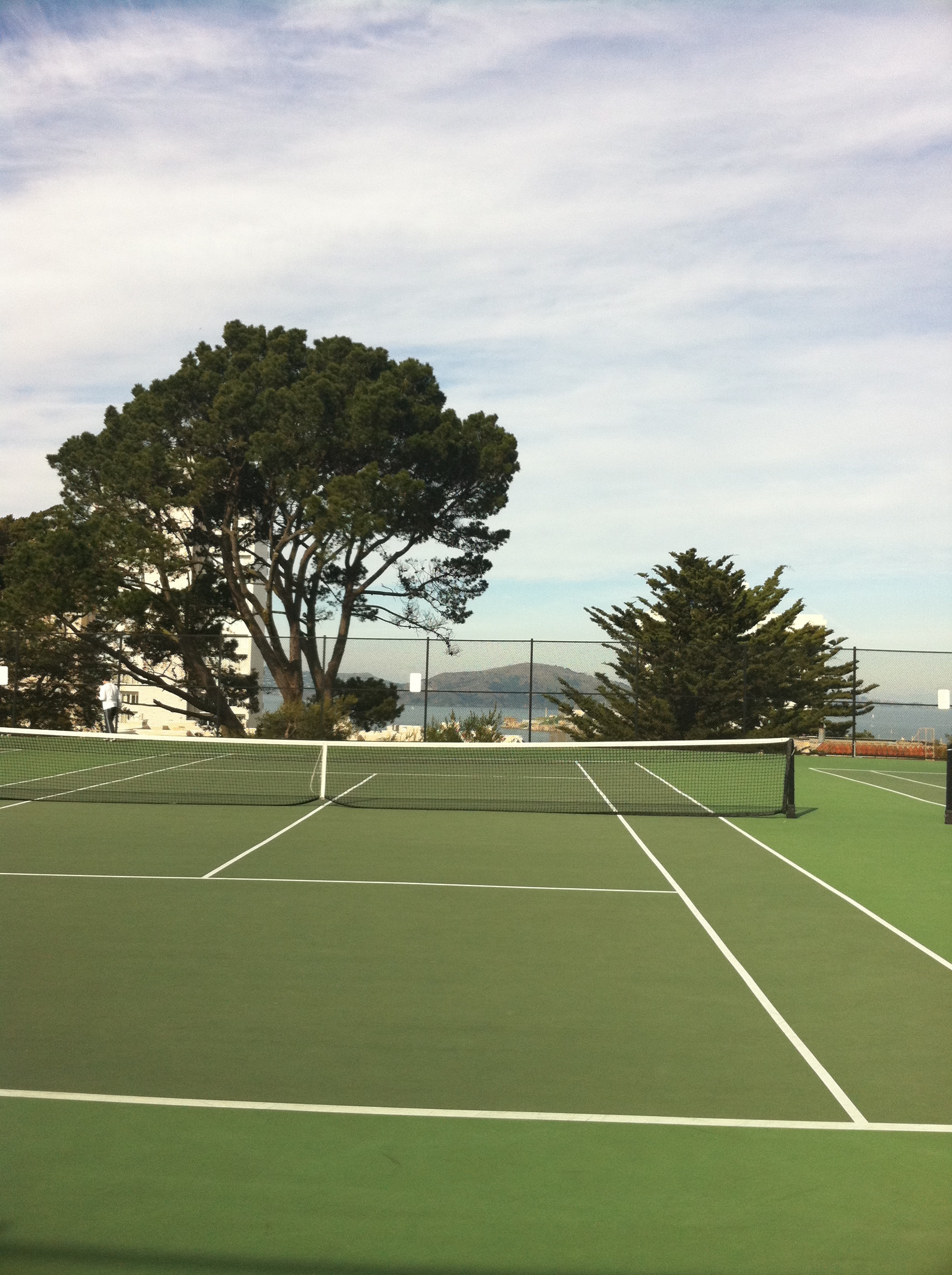
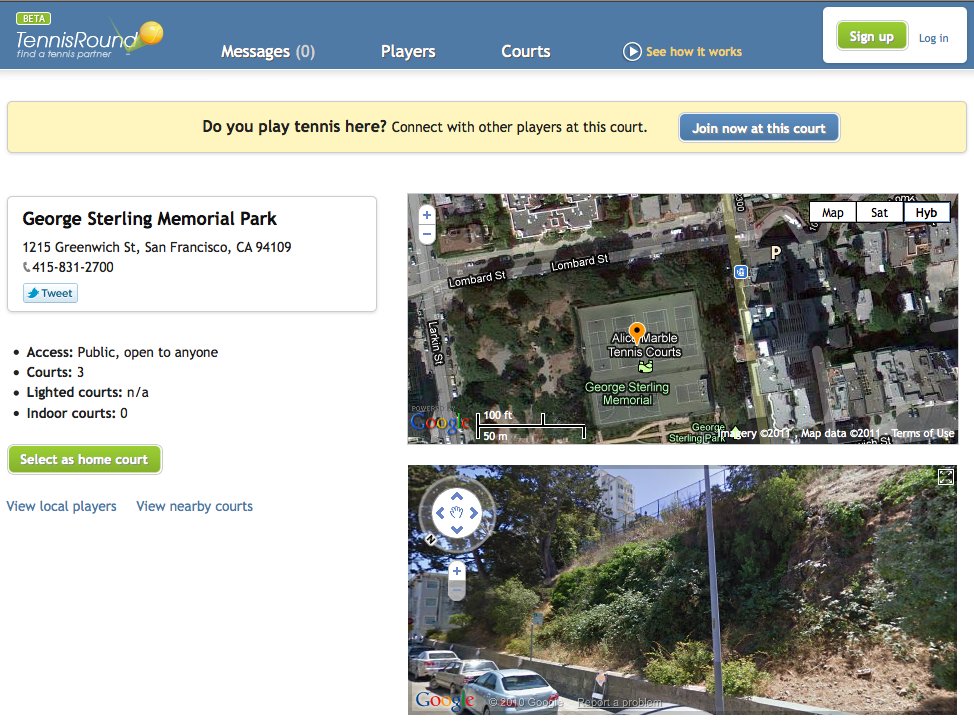
The atmosphere at public tennis courts is often sprinkled with street noise, barking dogs, crying babies, parking garage alarms and other fun things to challenge your concentration. But every once in a while there’s a tennis court, that’s so clean and pretty, that it can be mistaken for a country club or a private residence. Such are the courts at George Sterling Memorial Park, also called Alice Marble Park, in San Francisco. The views are astonishing and you really feel like you’re playing on top of the world.

Couple of downsides though – there’s very limited parking (not a big surprise in San Francisco) and the court surface is strangely hollow and dampens the bounce of the ball. Takes a little while to get used to it. Other than that – if you want to make a good impression on someone, in addition to how well you play, this might be nice court to set your next match.

Tennis Court with a View - Alice Marble Park

Tennis Court with a View - George Sterling Memorial Park | Alice Marble Courts

This is the tennis court listing on Tennis Round. Here are more details about this court and how to find it:

George Sterling Memorial Park on Tennis Round

George Sterling Memorial Park on Tennis Round


Schedule a Tennis Match on Tennis Round

March 12, 2011

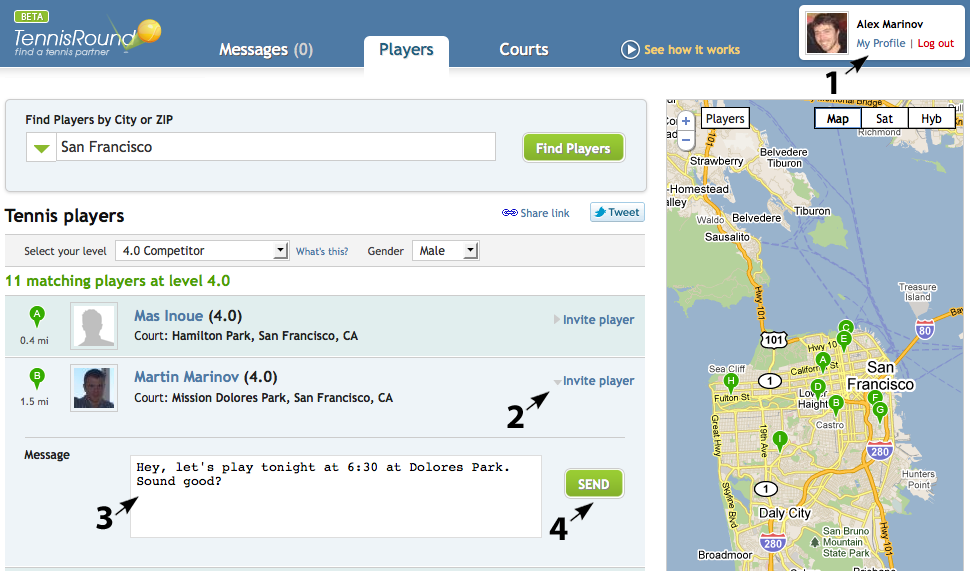
Once you’ve registered for Tennis Round and created your free account, you can start to schedule tennis matches. The way it works now is still a bit manual. But while we’re working on making it smarter you might as well as set up a few matches. Here’s how:

schedule a tennis match by sending an invitation

sending a tennis invite

1) Create a free Tennis Round account and log in. You can register here

2) On the tennis players, page – find a player you want to invite and click the Invite player link.

3) Write a brief message with the best time and place for you

4) Click Send

The player you just invited will get an email and a message on his Messages page and you so will you:

tennis invitation messaging system

Send tennis invitation shows in Messages page

Whether or not they respond to you is up to them though. There’s no magic here (well, at least not yet, we’re working on it). All members are real people with real schedules and other commitments. So, if the time you suggested doesn’t work for them, they might not bother replying at all. But many of them will! Many people just like to hit the ball and will always make time for tennis. So – do send out a few invites and see who else is up for it.

To prevent spam we’ve capped the maximum number of invites to 15 per day. If you invite 15 tennis players in one day and no one responds to you, it might be snowing outside or there’s something totally wrong with the site (in which case you should call us right away to complain).


Find Tennis Players in Your City with Tennis Round

March 12, 2011

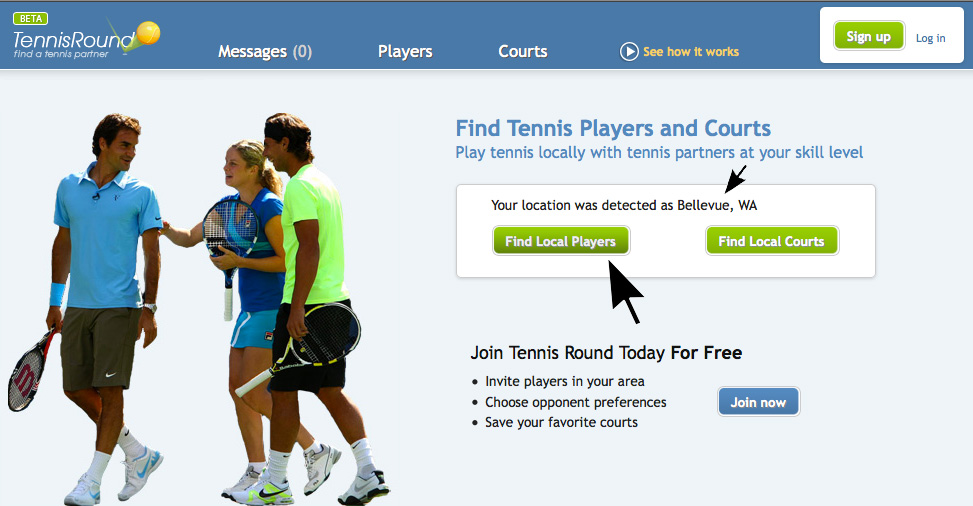
We’ve recently added a new feature that automatically detects your geo location, so you don’t even have to type in your city in the search box. Just click the Find Local Players button.

tennis round home page

tennisround.com Home Page

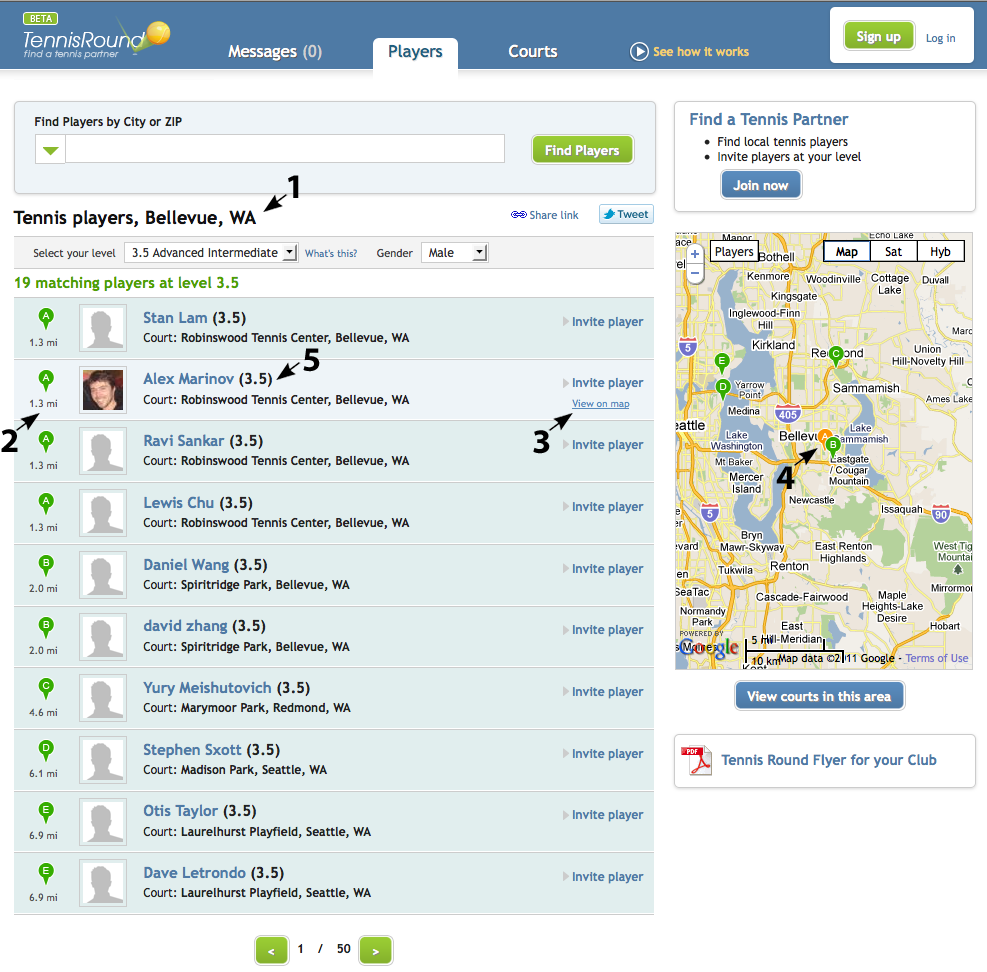
The site will show automatically you the closest tennis players near you and organize them by distance. Then you can sort the results by Skill Level and Gender and invite the players you want to play with.

find tennis players in your city

tennis players in your city

You’ll notice the following helpful info:

1. City and State for which the search returned results

2. Distance (in miles) from the tennis player’s home court to your location

3. “View on map” link, which will show you exactly where on the map that player’s home court is

4. Map bubble indicating the player’s home court

5. Skill level of the tennis player (self ranked using the USNRP tennis ranking system as a guideline).


Follow

Get every new post delivered to your Inbox.

Join 4,126 other followers

%d bloggers like this: